> ## Documentation Index
> Fetch the complete documentation index at: https://developers.getswipe.in/llms.txt
> Use this file to discover all available pages before exploring further.
# EwayBill
> Create and get ewaybill PDFs
Our comprehensive API solution allows you to manage essential business documents such as invoices, subscriptions, pro forma invoices, sales returns, and purchase returns. With our APIs, you can effortlessly create, manage, and retrieve documents, including E-invoices, EwayBills and export invoices, ensuring streamlined and efficient operations.
## What We Offer
All the features mentioned below, and more, can be accessed directly using
the [Swipe Portal](https://app.getswipe.in/ewaybills).
To use EwayBill APIs, you need the **E-Invoices & EwayBills plan** enabled on your account. Reach out to [api@getswipe.in](mailto:api@getswipe.in) to get a trial activated and support for API integration.
By default, the API points to the **Government sandbox portal**. To connect to the production Government portal, please mail [api@getswipe.in](mailto:api@getswipe.in).
1. [EwayBill Creation](https://developers.getswipe.in/api-reference/ewaybill/create-eway-bill): Easily generate professional invoices, pro forma invoices, sales returns, and purchase returns tailored to your business needs.
### Steps to create an ewaybill:
1. Checkout the create ewaybill endpoint in the API playground and use your API key to test the endpoint.
2. If your API key is valid, this API endpoint returns a 200 response with document details in a specified JSON format.
#### Things to keep in mind:
1. To generate e-Way Bills from the APIs, first ensure that you are connected to the EWay Bill portal.
2. You can connect to EwayBill portal from [here](https://app.getswipe.in/ewaybills) by clicking on Connect to E-way Bill Portal.
Try Creating an EwayBill
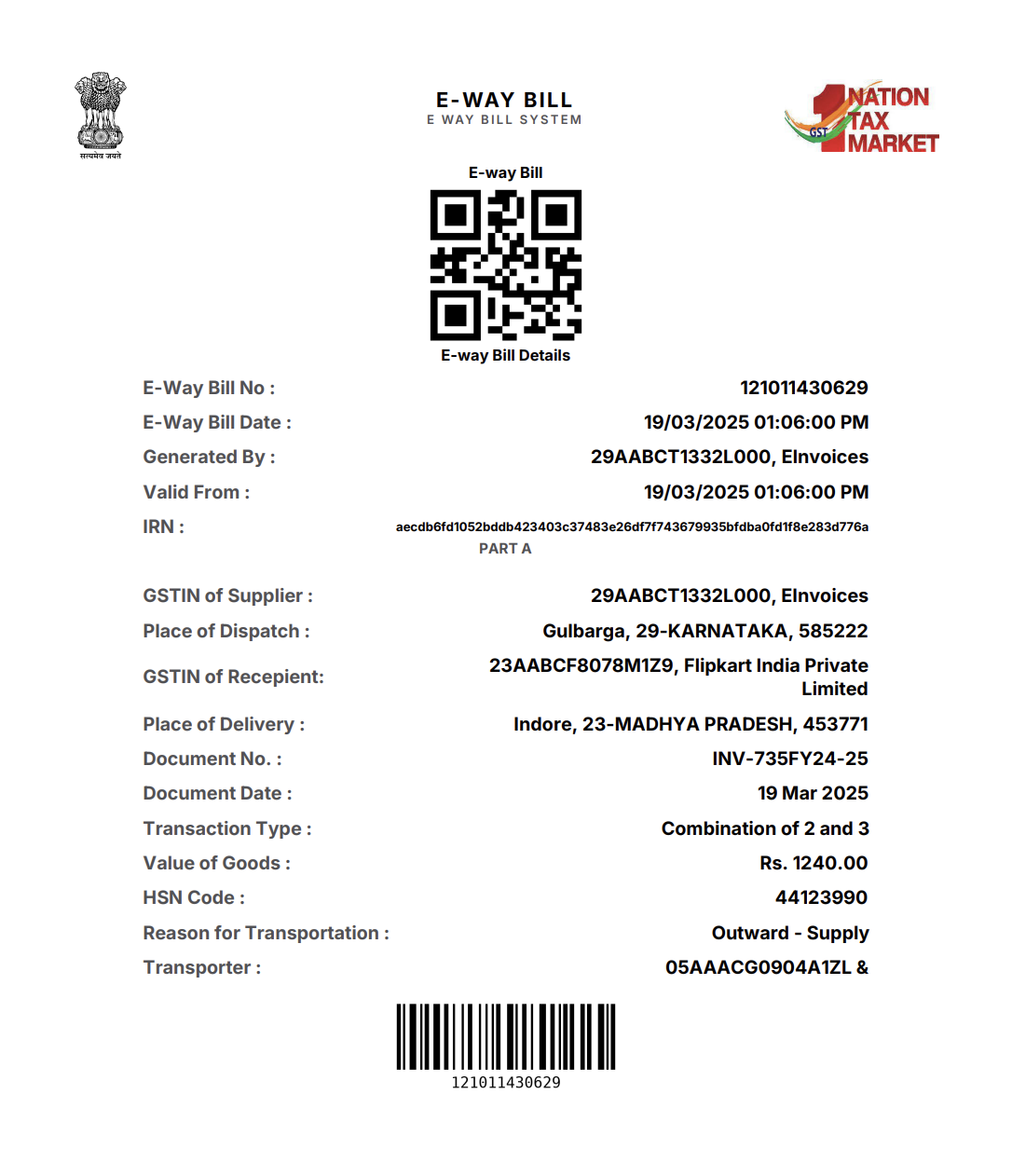
2. [Fetch PDF](https://developers.getswipe.in/api-reference/ewaybill/get-ewaybill-pdf): Access PDFs of already created ewaybills.
### Steps to get EwayBill PDFs:
1. Checkout the get EwayBill PDF endpoint in the API playground. For `doc_hash_id`, use the `hash_id` received from creating the document.
2. If your API key is valid, this API endpoint returns a 200 response along with the PDF.
Fetch PDFs of EwayBills that are already created
### Snapshot of an ewaybill document PDF